guest@monty.sh:/public/posts$ f="Find Love, Ditch Windows, Get Rich"; "date -r $f -u +"%Y-%m-%d" && cat $f
2026-06-12A half-year has passed since I began using Linux full time as my daily driver. In fact, that’s also how long it’s been since I’ve run exclusively Unix-y OSes in my personal life, save for a single isolated machine (I weep, for Clip Studio Paint does not support Linux). My setup is a bit strange, since my home office and lab were not built methodically but rather grew organically over the last fifteen years as my needs evolved, and until recently Windows was the only OS that would actually function with my odd configurations of hardware and software.
I last tried main-lining Linux many years ago, to mixed results; some things worked fine out of the box, like networking, sound, and drivers for my digital art tablet. Other things didn’t quite work so well.
Wayland, which for all intents and purposes relevant to me supersedes X11, was incredibly incompatible with NVIDIA Cards of the time, which meant I was essentially forced to stay on X. The X Window System, though, has a long and storied history with regards to multi-monitor setups, which only compounded with the fact that my primary video device is an NVIDIA GPU which has its own long list of historical issues with X. There were also numerous issues with support for 1440p/HiDPI monitors as well as high color range displays which I do remember fighting, although they didn’t quite affect me as much.
Audio in general had a lot of issues on Linux as well. Real-time audio sources, which often needed exclusive control of all involved audio I/O devices, constantly conflicted with the very common desktop use case of multiple programs producing audio at the same time. For a while, and especially back then, it felt to me like I had to choose either compatibility or convenience, and neither felt like an optimal choice when audio “just worked” on most other platforms. JACK, PulseAudio, and ALSA seemed like an opaque jungle of configurations that I had to fiddle with and get just right before I could be afforded the privilege of the same kind of audio management that everyone else seemed to get out of the box. Evidently I was not alone in this frustration, because PipeWire was made specifically to address these issues and more.
Gaming was also (at the time) a concern of mine, and of course back then Proton was not yet particularly usable (if it was a thing at all, my memory of this is foggy), nor was the state of GPU drivers for Linux quite so forgiving as it is today, which meant that my main options for playing my usual games were fiddling with Wine and maybe getting some older games to run, or setting up GPU passthrough to a Windows VM, which was equally fiddly and opaque given the strangeness of my setup and the way different parts of the hardware/kernel/software stack had to “own” access to the computer’s various peripherals.

Needless to say, that experiment did not last very long, and I was reflashing my PC with Windows after about a week of persistent frustrations.
The rest of my lab, though, remained running Linux. Most of my boxes, be they physical or virtual, run Rocky Linux since I was already familiar with CentOS before its unfortunate demise. Most of my networking infrastructure, at least wherever there isn’t some mandatory vendor-specific platform to use (which I try to keep to a minimum!) runs some flavor of the Berkely Software Distribution series of Unix variants, for example OPNSense which is a BSD-based firewall and router distribution, and of course the venerable TrueNAS for my network storage needs. A few of my web services in my DMZ also run OpenBSD, mainly because I wanted an excuse to try out OpenBSD. I also own an iPad that I received for free many a year ago that is currently acting as a digital recipe book, as well as an M1 MacBook Air I was able to get at a very large discount that’s replaced my old Windows laptop.
My daily driver remained on Windows 10, though, and quite sadly. It felt like every day that the Windows 10 End-of-Life got closer, the fewer options I had. Windows 10 itself had long since been more of a necessary evil to me than a preference, and Microsoft had been vindicating my opinion with their track record of providing a user-hostile, privacy-violating OS that’s also absolutely riddled with advertisements.
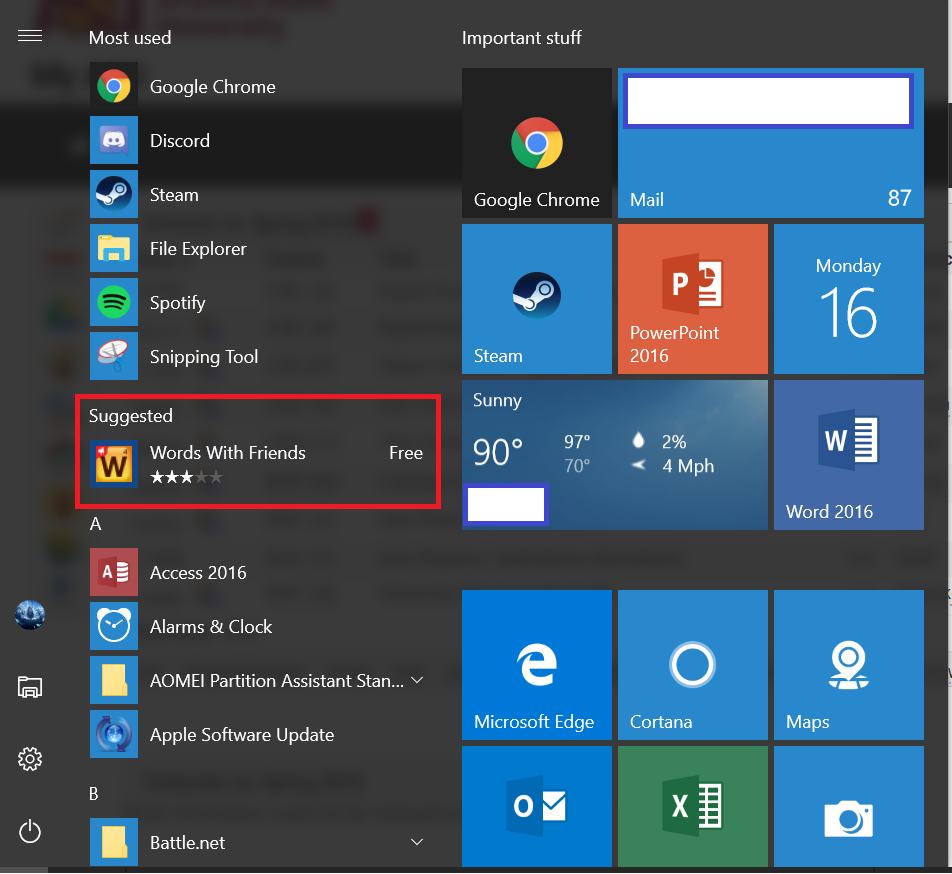
This was so ridiculous, I couldn’t believe it when I first saw it. Clearly, the end user has not been Microsoft’s true customer for a long, long time. (This is, of course, not remotely close to a new thing.)
Other significant frustrations with Windows included:
- Historically diverse and uncontrolled software installation practices and a broken package manager that didn’t even exist until the 2020s.
- Forced restarts at Microsoft’s whim with no real option to turn them off without going through odd and poorly documented registry options, if at all.
- The baleful and chronic locked file locking up FS operations issue that Microsoft themselves had to create a separate program to help ameliorate… that isn’t even shipped with Windows!
- Historically broken, ineffective, and all-or nothing privilege elevation in User Account Control that was so bad that Microsoft themselves made sudo for Windows.
- Insanely slow WSL disk I/O across the virtualization boundary
- CRLF/LF conflicts.
- The path separator being the same as an escape character.
- Whatever the hell is going on with the Windows Registry.
Linux certainly isn’t immune to some of these issues, but I certainly appreciate its approach that allows me to choose how things are managed myself, over Windows’ enforced laissez-faire attitude.
The straw that broke the camel’s back, though, was Windows 11. That update, with its endless nagging to upgrade even if Microsoft won’t actually allow you to do that, forcing you to only use edge whenever they feel like it, and even giving an LLM unrestricted access to my filesystem, felt less like the usual grudging utility I got out of Windows 10, and more like the tells of an abusive relationship. And so, I started looking for ways to leave.
The first thing I did was write out a list of requirements that my daily driver had to fulfill, regardless of what software it ran. Those were, roughly:
- Multimonitor support had to be on par with Windows
- Dual-GPU support was a must - specifically, running both an AMD and NVIDIA card at the same time.
- My DAC, capture card, webcam, microphone, and extra network card had to remain usable.
- I had to be able to actually use the my GPUs for real-world workloads, like rendering scenes in Blender or gaming at a reasonable framerate.
- The system had to be stable, and not randomly break from one day to the next in the absence of tinkering… but never restrict me from tinkering if I want to. (Note, however, that I do consider installing software updates as tinkering. Always check your update packages’ release notes, folks!)
- Last, and perhaps most importantly, the system must exist in a workable state with minimal configuration, but allow me to customize it as I feel ready for it.
While seemingly benign and simple, those requirements quickly cut away large swathes of distros as options.
Modern support for multimonitor setups in Wayland is pretty good nowadays, and Wayland itself is supported in most major distros, so requirement 1 was fairly easy to solve, though it did mean slower-moving distros like Mint, Debian, and CentOS clones were cut early. My hardware and performance constraints meant my setup also needed support for NVIDIA drivers and PipeWire out of the box at a minimum. This ruled out Fedora and Ubuntu, both which ostensibly support all this, just not in any simple way at installation.
Needing a mix of stability and openness to tinker was a difficult one, though, especially when it had to work in some productive fashion immediately. Arch and Gentoo were vetoed quickly, since their DIY nature meant that I’d be spending at least a full day, and in all honestly more likely closer to a week just performing the installation and making sure everything was built strong and stable to start out with. Pop! OS too was filtered out, because while its stability, hardware support, and performance metrics all checked out, it’s still built atop an frozen-system release model that meant I’d have to create a frankensystem just to update some package off of whatever ancient version it was pinned to in the last LTS release.
I did spend a while looking into immutable distros like NixOS or Bazzite. They seemed attractive on the surface, but between the lacking documentation on how they need to be configured and the hassle of making even small changes, they’re simply not my style, so they were discarded as well.
Ultimately, given my constraints, I started looking at Arch-based linux distributions that shipped with batteries-included installers in order to satisfy requirement six from the remaining set of choices. My list eventually came down to just a few: Garuda, Endeavour, and CachyOS.
Garuda was the distro I found first in my research, and it seemed very attractive on a technical level; it runs a solid wayland config and ships an optimized kernel out of the box, and many of my peers seemed to hold it in high esteem for gaming and similar kinds of performance workloads. However, the visual theme it came with turned me away. While I hold no animosity towards it, I felt like undoing it all would be more effort than it’s worth to install if I could find a similar distro that had a less opinionated theme.
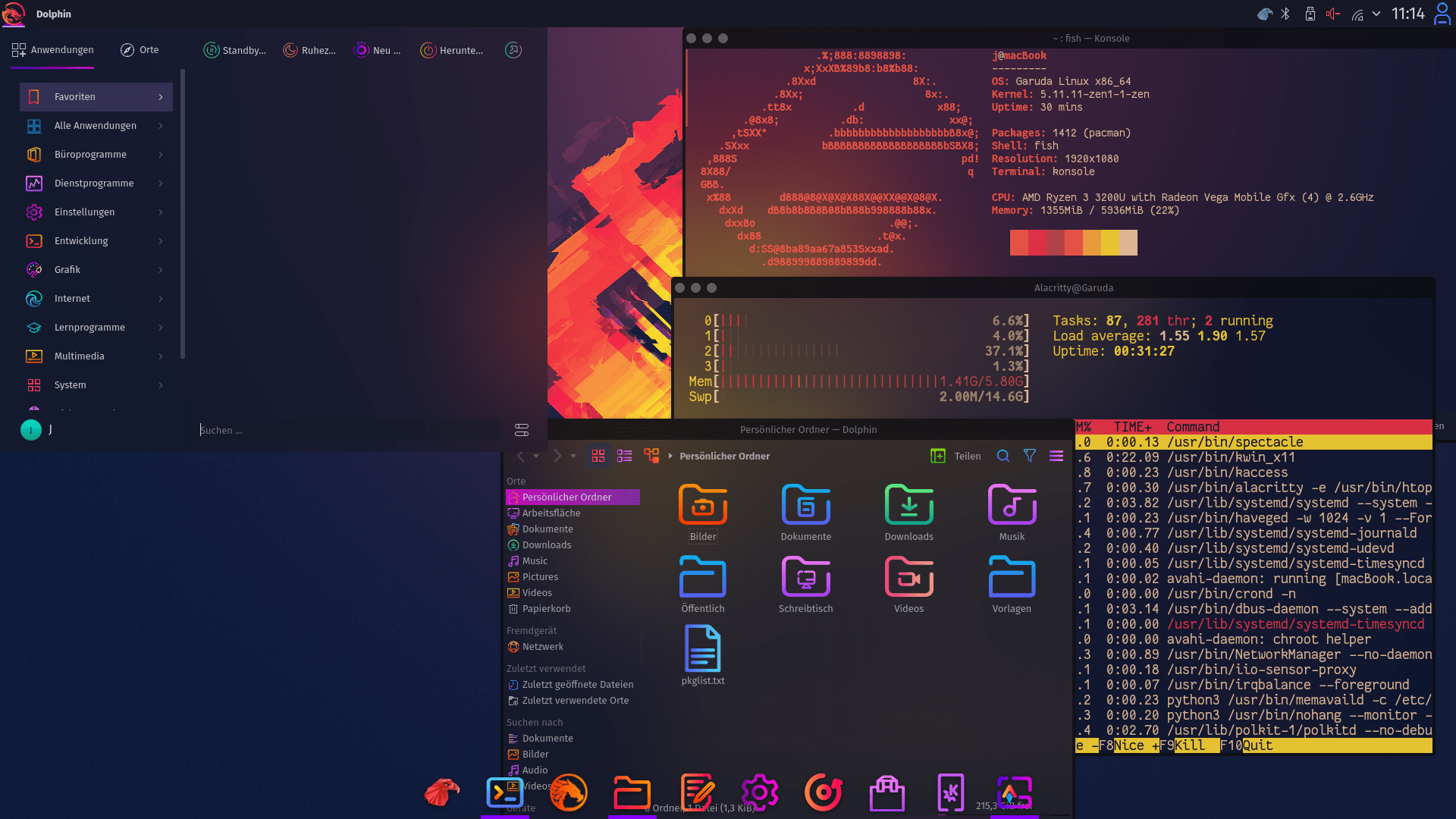
Not really my thing.
Next, I looked at EndeavourOS. I really loved how minimal it seemed, with it’s philosophy of being “Unopinionated Arch with a stable installer”. It even shipped with scripts that would make setting up my hardware environment much easier! But, of course, the catch; it didn’t come with the optimized bits under the hood I saw in Garuda. While I think I’d have gone with Endeavour had I not found any other options, I ended up deciding to put a pin in it for now and keep looking.
As I was chatting on IRC with some friends on the topic, though, someone recommended to me CachyOS. Looking through its documentation, it seemed to be the closest yet! It had a performant yet unopinionated design, since it shipped with software that was optimized for my specific generation of Intel CPU, and even provided a tidy UI for switching out exactly which kernel I was using, so I could easily do things like change the scheduler or tweak the tickrate without worrying about having to learn about everything under the hood right away. It also shipped with a hardware manager script that seemed to respect my desire to install whatever I wanted, while also providing a way to automatically install a basic config that would “just work”. The CachyOS wiki also did an amazing job of pointing me in the right direction to understand the distro-specific quirks and tweaks I needed to know about, without inundating me with a massive library of docs to comb.
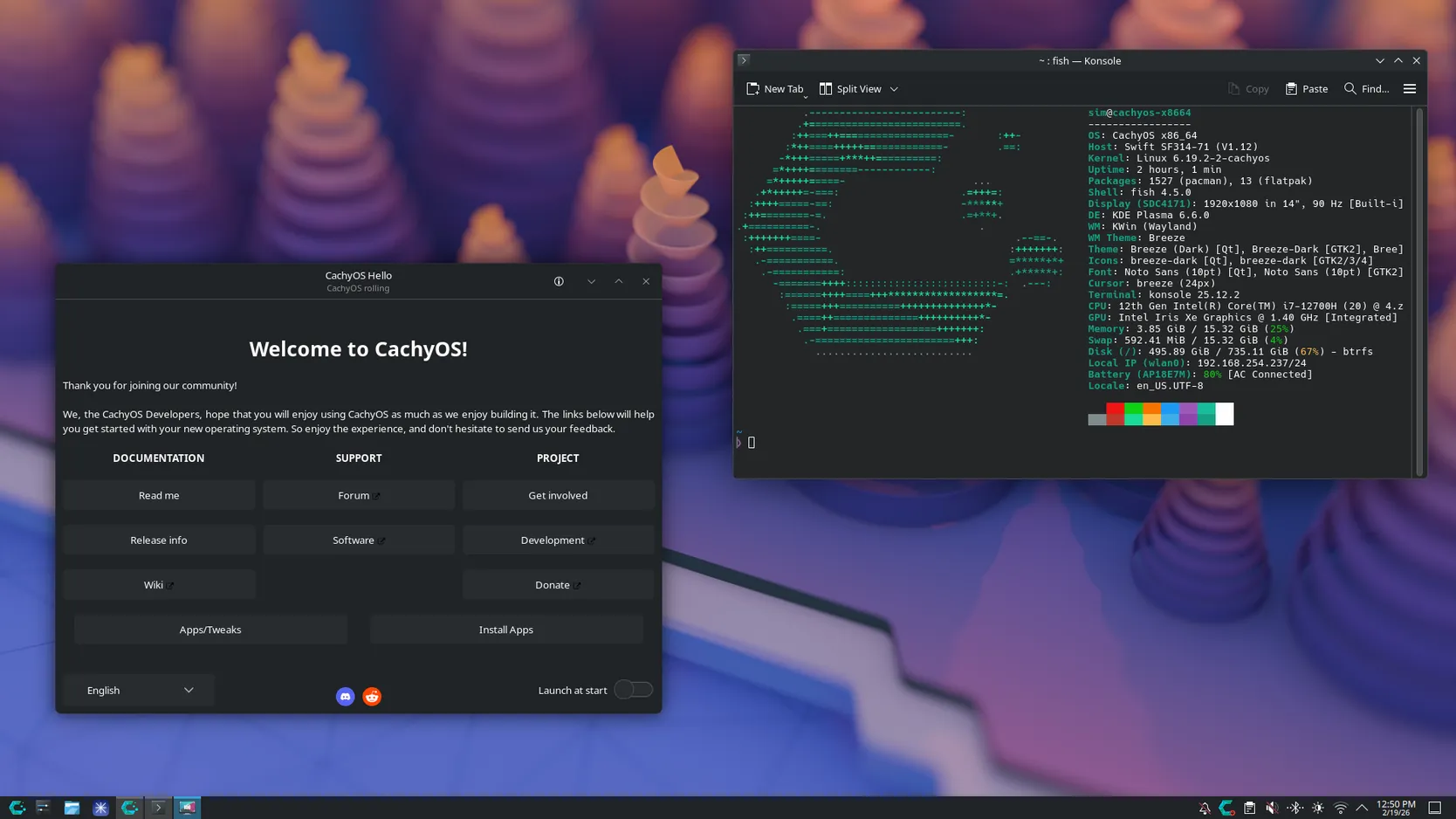
Simple and inoffensive, without assuming what I want.
So, that was that! I decided to settle on CachyOS first. Installation was blessedly simple, and I have zero complaints about the process. Half a year in, my personal computer finally feels like my own again, and I’ve yet to see a single ad on it as well! Next, I’ll be diving into details of my hardware configuration and exactly how my setup has evolved in another post.